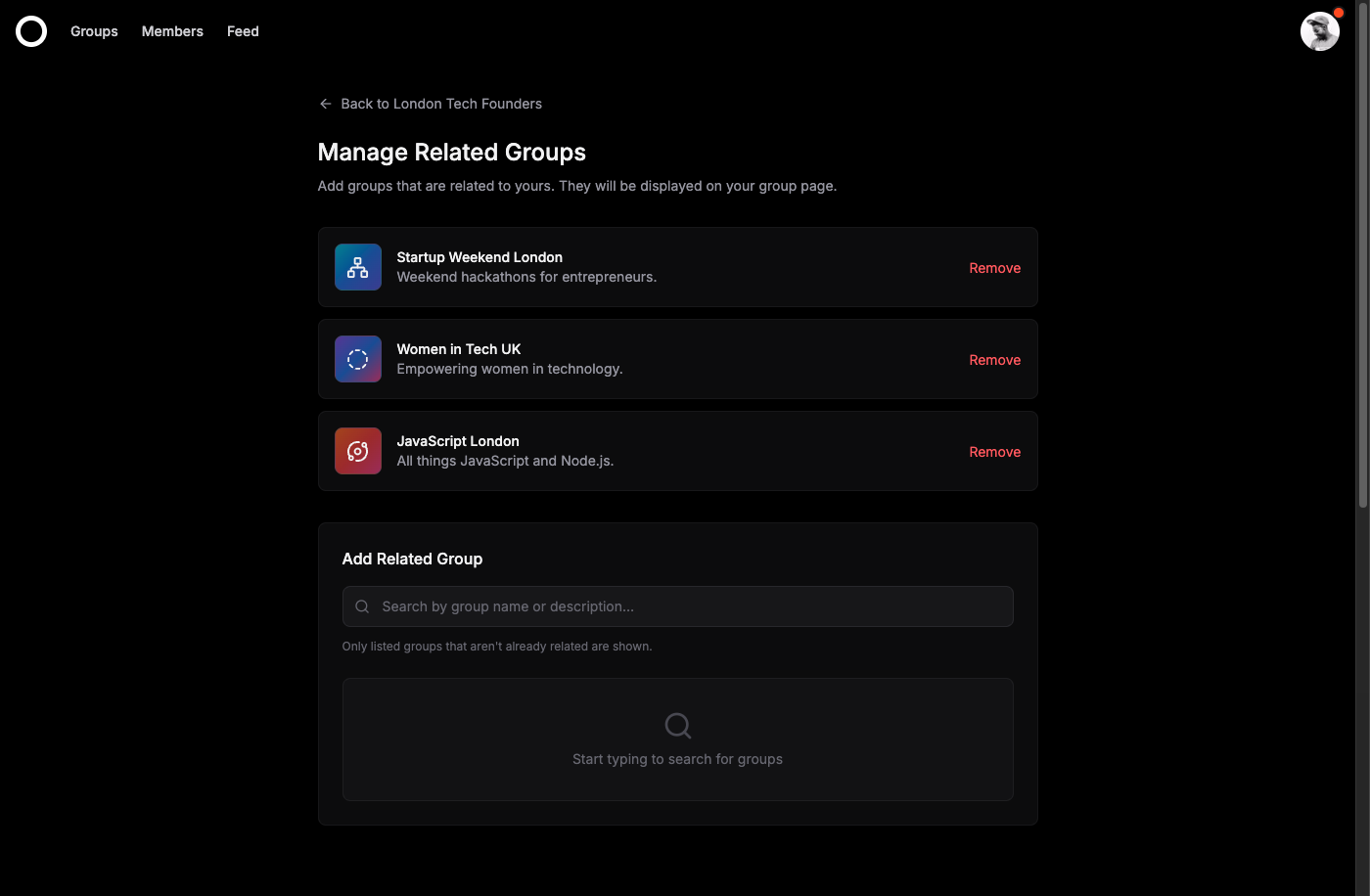
Communities don't exist in isolation. A running club might share members with a hiking group. A startup founders meetup could connect naturally with a product design community. Until now, there wasn't an easy way to surface these connections.
Connecting Groups Together
Organizers can now link their group to other related communities on Radius. It's one-way linking—you choose which groups to feature, no approval needed from the other side.
When you add a related group, it appears on your group page, giving your members an easy path to discover similar communities they might enjoy.
Why This Matters
The feature serves two purposes:
For organizers: You can curate a network of communities that complement yours. If you run a Python meetup, linking to a data science group or a general tech community helps your members find more of what they're interested in.
For members: Instead of searching blindly, they get curated recommendations from organizers who understand what their community is about.
Building a Network
The real power comes when multiple groups link to each other. A web of connected communities starts to form—what we think of as a community network. Members can hop between related groups, finding new events and people with shared interests—and the Activity Feed surfaces this activity in one place.
This is how local scenes develop. Not through algorithms, but through organizers recognizing natural connections and making them visible.
Getting Started
Head to your group settings and look for the Related Groups section. You can search for and add any group on Radius. The groups you add will appear on your group page immediately.