Embed Events Widget
Display your upcoming events on any website with an auto-updating widget.
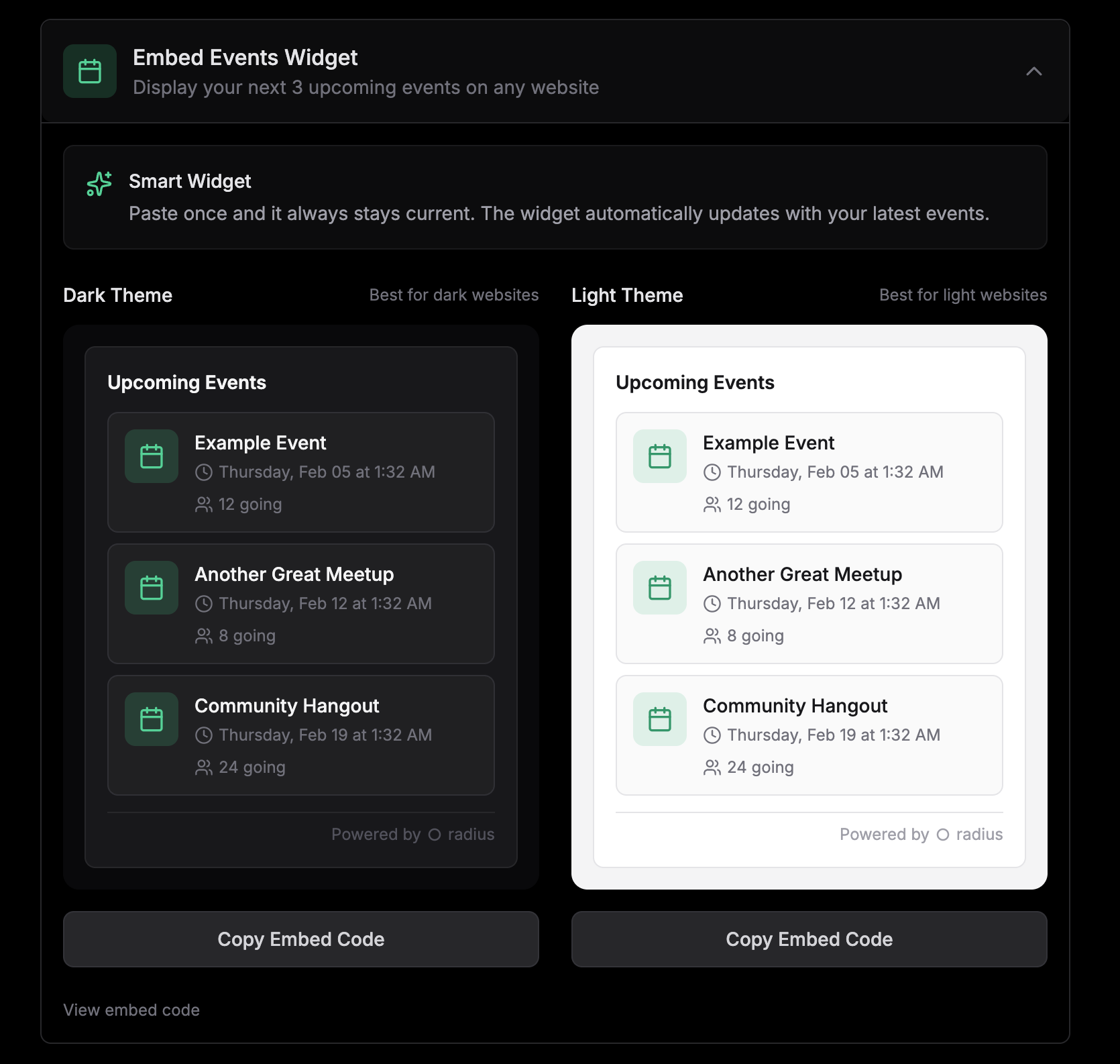
Display your upcoming events on any website with our embeddable widget. Add the code once and it automatically stays updated with your next 3 events. No manual updates needed.
Read more about this feature in our blog post announcing the embeddable events widget.
Why use the widget
The events widget saves you time and increases visibility:
- Always up to date: Automatically displays your next 3 upcoming events
- Zero maintenance: No need to update your website when events change
- Professional look: Clean, modern design that matches your site
- Drives registrations: Links directly to your event pages on Radius
Tip: Perfect for your organization's homepage, blog sidebar, or community page to keep visitors informed about upcoming events.
Getting the embed code
To get your widget embed code:
- 1Navigate to your group's page
- 2Go to
Settings→Promote - 3Find the
Embed Events Widgetsection - 4Choose your preferred theme (dark or light)
- 5Click
Copy Embed Code
Note: Only group organizers can access the embed code from the group settings.
Theme options
The widget comes in two themes to match your website's design:
| Theme | Best for |
|---|---|
| Dark | Websites with dark backgrounds or dark mode designs |
| Light | Websites with light or white backgrounds |
Adding to your website
Once you have the embed code:
- 1Open your website's HTML editor or CMS
- 2Find where you want the widget to appear
- 3Paste the embed code
- 4Save and publish your changes
The embed code includes a small JavaScript snippet that loads your events and keeps them updated automatically.
Tip: Most website builders like WordPress, Squarespace, and Wix support custom HTML blocks where you can paste the embed code.
What visitors see
The widget displays up to 3 of your upcoming events, showing:
- Event title
- Date and time
- Location (or "Online" for virtual events)
- Number of attendees
Clicking on any event takes visitors directly to the event page on Radius where they can RSVP.
Note: If you have no upcoming events, the widget will display a message encouraging visitors to check back soon.
Next steps
Now that you've set up your widget, consider these next steps: